Setting up an automatic reply in Roundcube webmail
The CloudMail service allows you to set up an automatic reply (out-of-office message) directly in the Roundcube webmail interface available at https://webmail.vshosting.cloud/roundcube/.
Steps
-
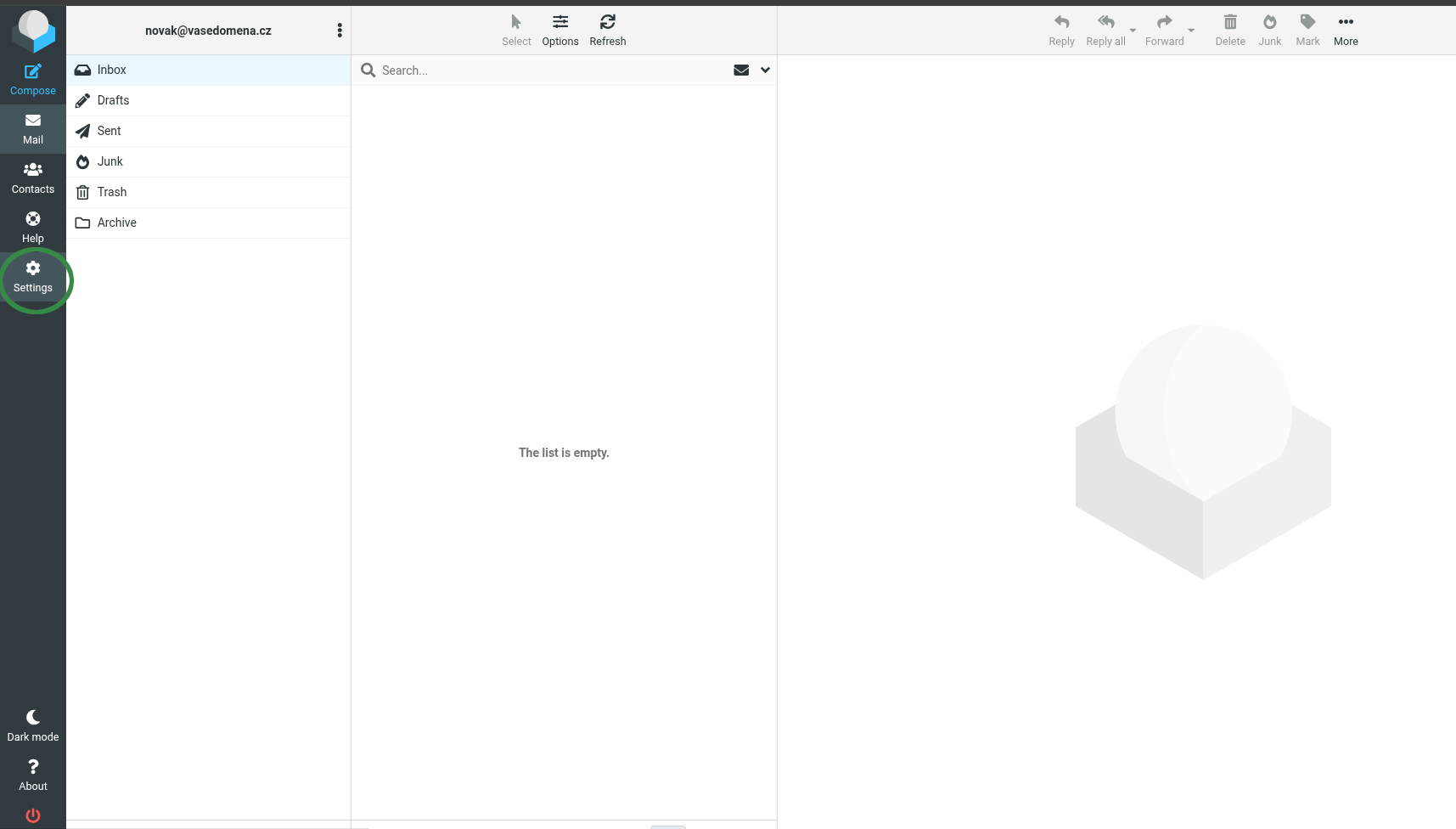
After signing in to your mailbox, click Settings in the left‑hand menu.
-
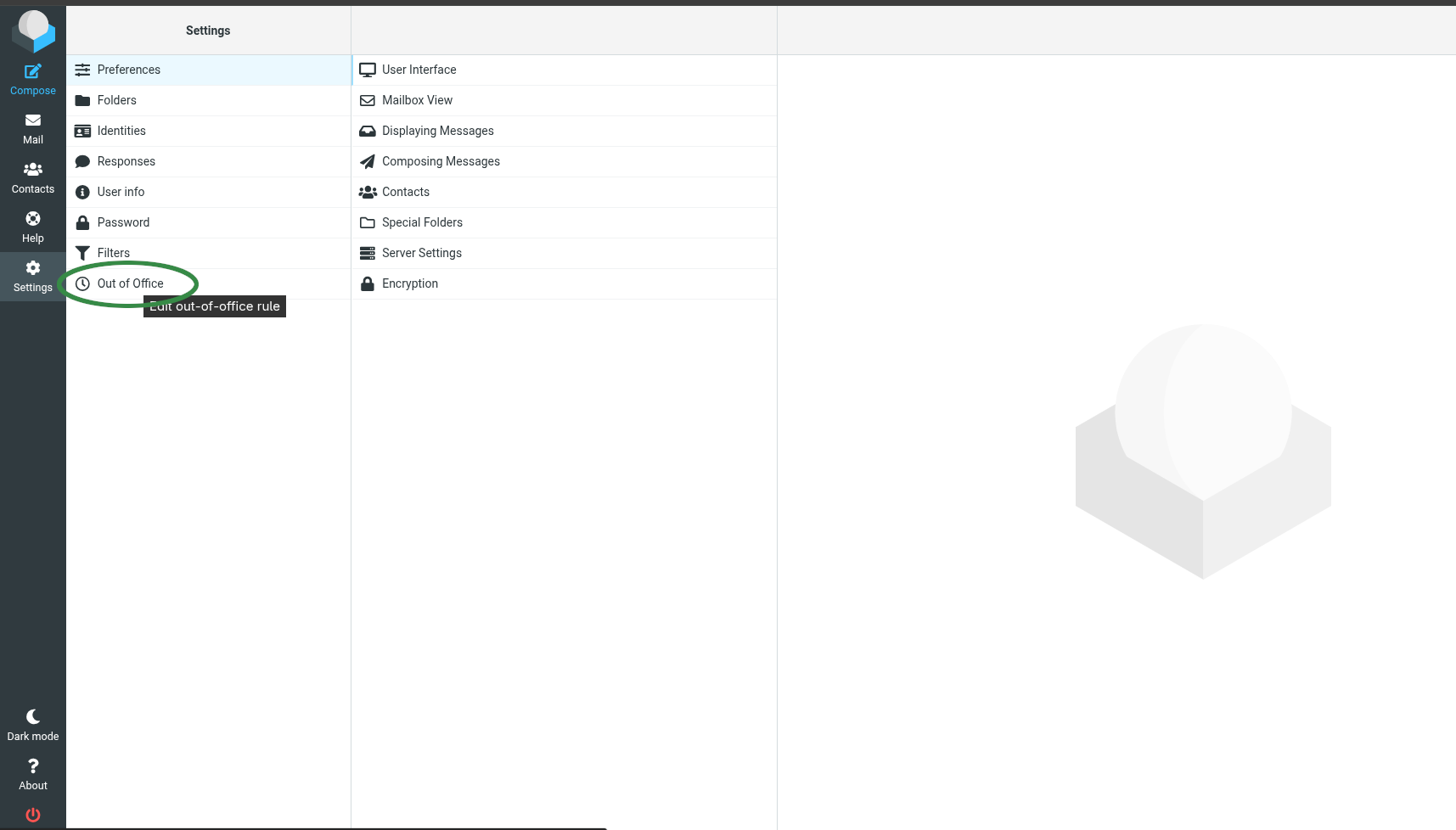
Select Out of Office.
-
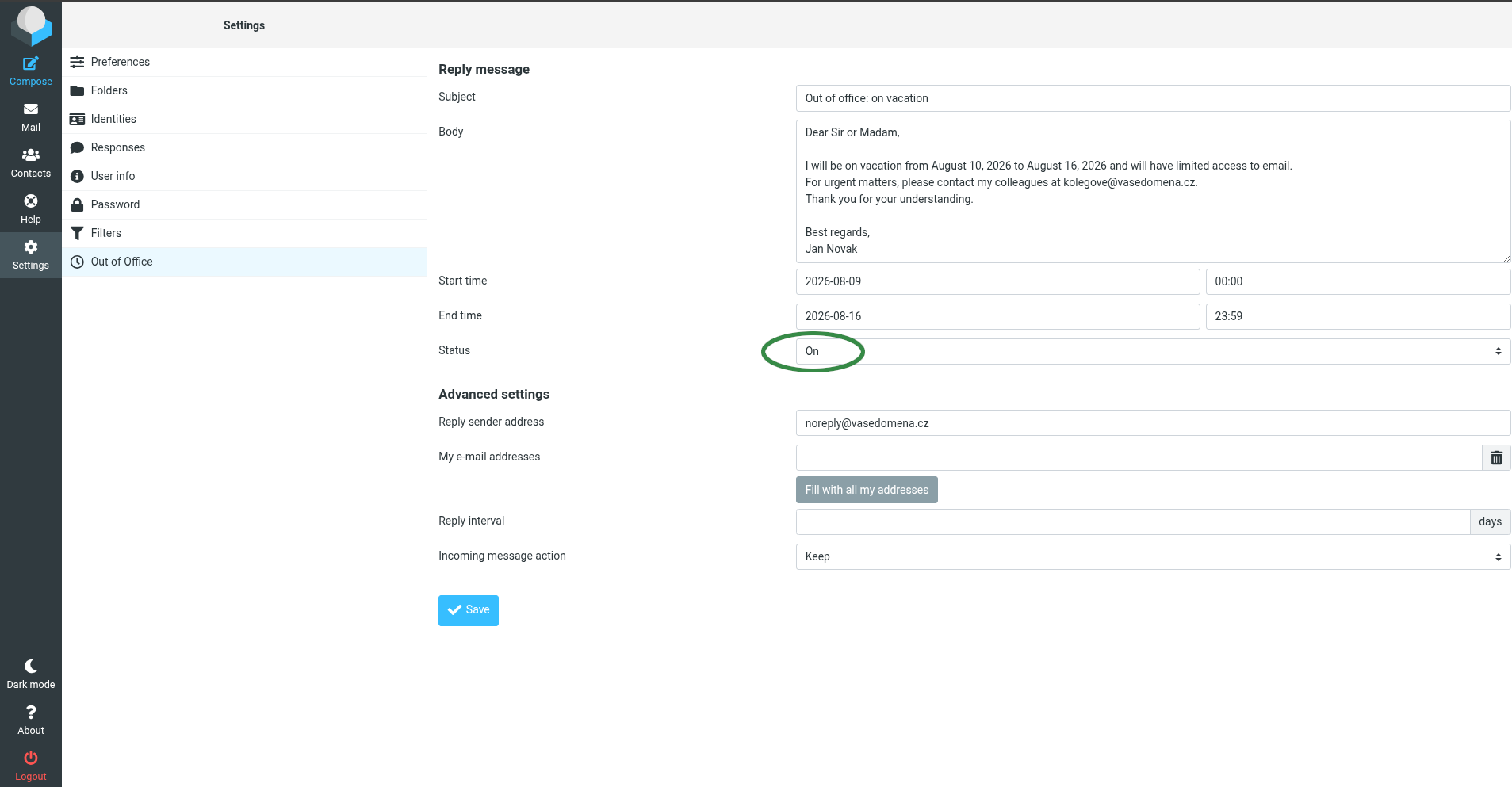
The basic out‑of‑office settings will be displayed.
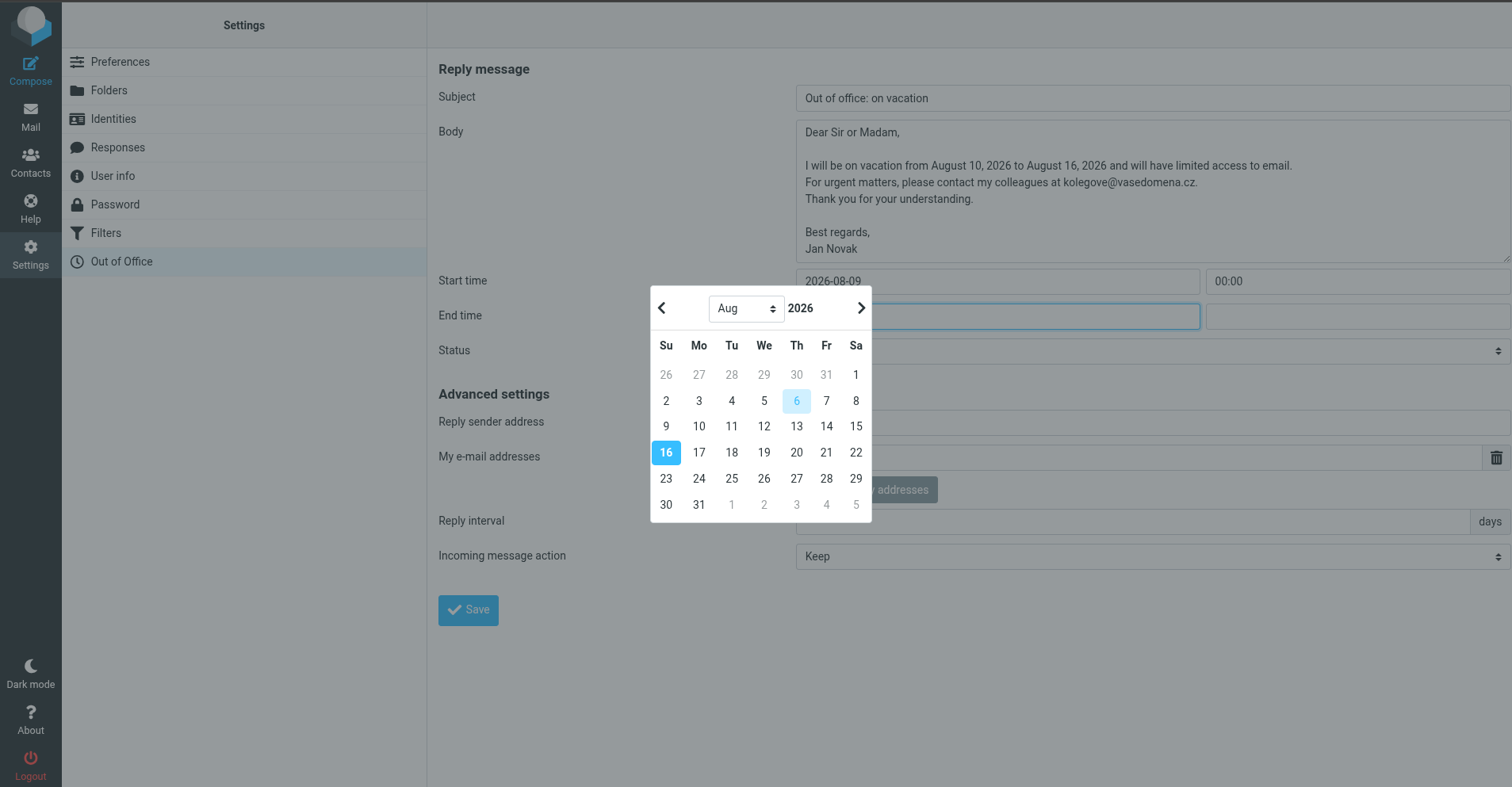
Enter the message text and set the start and end date of your absence. When you click into the date field, a calendar will appear where you can choose the desired dates.
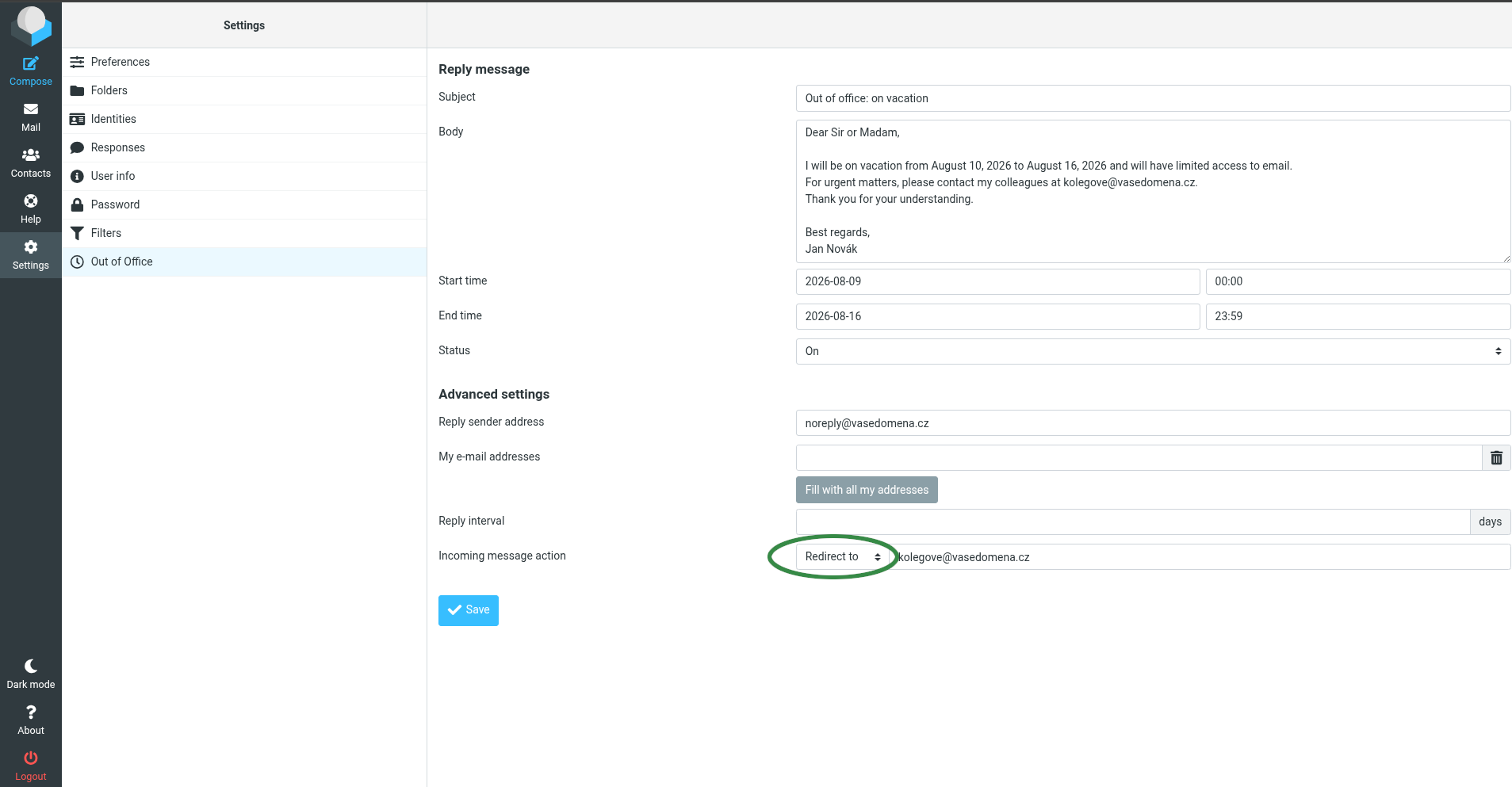
- Activate the automatic reply by changing the status to On and saving the changes.
Advanced settings
The advanced options allow you to:
- change the sender address of the automatic reply,
- set the interval between individual replies,
- forward incoming messages to another address and more.